티스토리 뷰
4. 벽돌깨기 게임 종료

프롬프트
스페이스를 누르면 시작하도록 하고,
남은 벽돌 수가 0이 되거나 생명이 0이 되면
게임 종료되도록 하며,
Game Over 화면을 보여 준 뒤 아무 키나 누르면 종료되도록 수정해줘
step05.py: 시작, 종료 처리 구현
step04.py에 이어서 이번 단계에서는 다음 기능을 추가한다.
- 스페이스바를 누르면 게임이 시작한다.
- 생명(life)이 0이 되면 Game Over 화면을 출력한다.
- 남은 벽돌 수(block_count)가 0이 되면 You Win 화면을 출력한다.
- 종료 화면에서 아무 키나 누르면 프로그램이 종료된다.
단계별 변경 내용
1. 전역변수
Step 5에서는 게임 상태를 관리하기 위한 변수가 추가된다.
game_state = "ready"  # ready, play, game_over, clear
end_message = ""- game_state는 현재 게임이 어떤 상태인지 저장한다.
ready     : 시작 전 상태
play      : 게임 진행 중
game_over : 생명이 0이 된 상태
clear : 벽돌을 모두 제거한 상태- 종료 화면에 출력할 메시지도 추가한다.
end_message = ""2. 초기화
초기화에서는 게임 상태를 처음 상태로 만든다.
game_state = "ready"
end_message = ""- 게임이 처음 실행되면 바로 공이 움직이지 않고, 시작 대기 상태가 된다.
3. 입력 handle_input()
Step 5에서 입력 처리는 세 가지로 나뉜다. STEP05에서는 처음 상태를 "ready"로 설정하여, 사용자가 Space Bar를 누르기 전까지 공이 움직이지 않도록 하였다.
- 첫째, ready 상태에서 SPACE 키를 누르면 게임이 시작된다.
if event.type == pygame.KEYDOWN:
    if game_state == "ready":
        if event.key == pygame.K_SPACE:
game_state = "play"- 게임이 끝난 상태에서 아무 키나 누르거나 마우스를 클릭하면 프로그램이 종료된다.
elif game_state == "game_over" or game_state == "clear":
running = False- 패들 이동은 play 상태에서만 가능하게 하였다.
if game_state == "play":
    keys = pygame.key.get_pressed()

    if keys[pygame.K_LEFT]:
        paddle_dx = -PADDLE_SPEED

    if keys[pygame.K_RIGHT]:
        paddle_dx = PADDLE_SPEED
따라서 게임 시작 전에는 방향키를 눌러도 패들이 움직이지 않는다.
게임이 끝난 뒤에도 패들이 움직이지 않는다.
4. 업데이트 update_game()
Step 5에서 업데이트의 가장 중요한 변화는 이것이다.
if game_state != "play":
return- 게임 상태가 play가 아니면 공 이동, 충돌 처리, 점수 계산을 하지 않는다.
- 즉, ready 상태에서는 공이 멈추어 있고, game_over나 clear 상태에서도 더 이상 게임이 진행되지 않는다.
- 벽돌을 모두 부수면 clear 상태가 된다.
if block_count <= 0:
    game_state = "clear"
    end_message = "You Win"
return- 남은 벽돌 수가 0이 되면 게임 상태가 "clear"로 바뀐다.
- 그리고 종료 화면에 "You Win"이라는 문구가 출력된다.
생명이 0이 된 경우
if life <= 0:
    game_state = "game_over"
    end_message = "Game Over"
return- STEP04에서는 생명이 0이 되면 바로 프로그램이 종료되었다.
- STEP05에서는 바로 종료하지 않고, "Game Over" 화면을 보여 준 뒤 사용자가 키를 누르면 종료된다.
생명이 남아 있는 경우
공을 놓쳤지만 생명이 남아 있으면 공을 다시 중앙에 배치한다.
ball_pos = [WIDTH // 2, HEIGHT // 2]
ball_vel = [BALL_SPEED_X, BALL_SPEED_Y]
game_state = "ready"
이때 game_state를 다시 "ready"로 바꾸기 때문에 공은 바로 움직이지 않는다.
사용자가 Space Bar를 다시 눌러야 다음 생명으로 게임이 재시작된다.
5. 출력 render()
출력 단계에서는 먼저 게임 종료 상태인지 확인한다.
if game_state == "game_over" or game_state == "clear":
    render_end_screen()
    pygame.display.flip()
return- 게임 상태가 "game_over" 또는 "clear"라면 일반 게임 화면을 그리지 않고 종료 화면을 출력한다.
- 종료 화면은 별도 함수인 render_end_screen()에서 처리한다.
def render_end_screen():- 이 함수는 화면 중앙에 종료 메시지를 출력한다.
message_text = font.render(end_message, True, WHITE)- end_message 값에 따라 화면에 출력되는 문장이 달라진다.
Game Over
You Win- 또한 사용자가 무엇을 해야 하는지 안내 문구도 출력한다.
guide_text = font.render("Press any key to exit", True, WHITE)ready 상태 안내 문구 출력
게임 시작 전에는 다음 문구가 화면에 출력된다.
if game_state == "ready":
start_text = font.render("Press SPACE to Start", True, WHITE)- 이 문구는 "ready" 상태에서만 보인다.
- 처음 게임을 시작하기 전에도 보이고, 공을 놓친 뒤 생명이 남아 있을 때도 다시 보인다.
- 즉, STEP05에서는 사용자가 준비한 뒤 Space Bar를 눌러 게임을 시작할 수 있다.
6. 실행 run_game()
실행 구조는 STEP04와 거의 같다.
while running:
    handle_input()
    update_game()
    render()
    clock.tick(60)
하지만 STEP05에서는 update_game()과 render()가 game_state에 따라 다르게 동작한다.
- game_state가 "ready"이면 입력 안내 문구만 보이고 공은 움직이지 않는다.
- game_state가 "play"이면 공, 패들, 벽돌 충돌이 업데이트된다.
- game_state가 "game_over"이면 Game Over 화면이 출력된다.
- game_state가 "clear"이면 You Win 화면이 출력된다.
- 마지막으로 running이 False가 되면 pygame을 종료한다.
pygame.quit()
sys.exit()# 종료 화면 출력
def render_end_screen():
screen.fill(BLACK)
message_text = font.render(end_message, True, WHITE)
message_rect = message_text.get_rect(
center=(WIDTH // 2, HEIGHT // 2 - 30)
)
screen.blit(message_text, message_rect)
guide_text = font.render("Press any key to exit", True, WHITE)
guide_rect = guide_text.get_rect(
center=(WIDTH // 2, HEIGHT // 2 + 20)
)
screen.blit(guide_text, guide_rect)전체 코드 : STEP05.py
import pygame
import sys
# 전역 변수
WIDTH, HEIGHT = 600, 800
screen = None
clock = None
running = True
# 게임 상태
game_state = "ready" # ready, play, game_over, clear
# 종료 메시지
end_message = ""
# 색상
BLACK = (0, 0, 0)
WHITE = (255, 255, 255)
# 글꼴 정보
font = None
# 공 정보
BALL_RADIUS = 10
BALL_SPEED_X = 4
BALL_SPEED_Y = -4
ball_pos = None
ball_vel = None
# 패들 정보
PADDLE_WIDTH = 100
PADDLE_HEIGHT = 15
PADDLE_SPEED = 7
paddle_rect = None
paddle_dx = 0
# 벽돌 정보
BRICK_ROWS = 5
BRICK_COLS = 8
BRICK_WIDTH = 60
BRICK_HEIGHT = 20
BRICK_GAP = 10
bricks = []
# 게임 정보
score = 0
life = 3
block_count = 0
# 1. 게임 초기화
def init():
global screen, clock
global font
global ball_pos, ball_vel, paddle_rect, bricks
global score, life, block_count
global game_state, end_message
pygame.init()
screen = pygame.display.set_mode((WIDTH, HEIGHT))
pygame.display.set_caption("벽돌깨기 5단계 - SPACE로 시작")
clock = pygame.time.Clock()
font = pygame.font.SysFont(None, 30)
# 게임 상태 초기화
game_state = "ready"
end_message = ""
# 게임 정보 초기화
score = 0
life = 3
block_count = BRICK_ROWS * BRICK_COLS
# 공 초기 위치와 속도
ball_pos = [WIDTH // 2, HEIGHT // 2]
ball_vel = [BALL_SPEED_X, BALL_SPEED_Y]
# 패들 초기 위치
paddle_x = WIDTH // 2 - PADDLE_WIDTH // 2
paddle_y = HEIGHT - 50
paddle_rect = pygame.Rect(
paddle_x,
paddle_y,
PADDLE_WIDTH,
PADDLE_HEIGHT
)
# 벽돌 생성
bricks = []
total_brick_width = BRICK_COLS * BRICK_WIDTH + (BRICK_COLS - 1) * BRICK_GAP
start_x = WIDTH // 2 - total_brick_width // 2
start_y = 80
for row in range(BRICK_ROWS):
for col in range(BRICK_COLS):
brick_x = start_x + col * (BRICK_WIDTH + BRICK_GAP)
brick_y = start_y + row * (BRICK_HEIGHT + BRICK_GAP)
brick = pygame.Rect(
brick_x,
brick_y,
BRICK_WIDTH,
BRICK_HEIGHT
)
bricks.append(brick)
# 2. 입력 처리
def handle_input():
global running
global paddle_dx
global game_state
paddle_dx = 0
for event in pygame.event.get():
if event.type == pygame.QUIT:
running = False
# ADDED ready 상태에서 SPACE BAR를 누르면 게임 시작
if event.type == pygame.KEYDOWN:
if game_state == "ready":
if event.key == pygame.K_SPACE:
game_state = "play"
# ADDED 게임 종료 상태에서 아무 키나 누르면 종료
elif game_state == "game_over" or game_state == "clear":
running = False
# play 상태에서만 패들 이동
if game_state == "play":
keys = pygame.key.get_pressed()
if keys[pygame.K_LEFT]:
paddle_dx = -PADDLE_SPEED
if keys[pygame.K_RIGHT]:
paddle_dx = PADDLE_SPEED
# 3. 게임 업데이트
def update_game():
global ball_pos, ball_vel, bricks
global score, life, block_count
global game_state, end_message
# play 상태가 아니면 게임을 업데이트하지 않음
if game_state != "play":
return
# 패들 위치 업데이트
paddle_rect.x += paddle_dx
# 패들이 화면 밖으로 나가지 않도록 제한
if paddle_rect.left < 0:
paddle_rect.left = 0
if paddle_rect.right > WIDTH:
paddle_rect.right = WIDTH
# 공 위치 업데이트
ball_pos[0] += ball_vel[0]
ball_pos[1] += ball_vel[1]
# 공을 충돌 검사용 사각형으로 변환
ball_rect = pygame.Rect(
ball_pos[0] - BALL_RADIUS,
ball_pos[1] - BALL_RADIUS,
BALL_RADIUS * 2,
BALL_RADIUS * 2
)
# 왼쪽 벽 충돌
if ball_pos[0] - BALL_RADIUS <= 0:
ball_vel[0] = abs(ball_vel[0])
# 오른쪽 벽 충돌
if ball_pos[0] + BALL_RADIUS >= WIDTH:
ball_vel[0] = -abs(ball_vel[0])
# 위쪽 벽 충돌
if ball_pos[1] - BALL_RADIUS <= 0:
ball_vel[1] = abs(ball_vel[1])
# 패들과 충돌
if ball_rect.colliderect(paddle_rect):
if ball_vel[1] > 0:
ball_vel[1] = -abs(ball_vel[1])
ball_pos[1] = paddle_rect.top - BALL_RADIUS
# 벽돌과 충돌
for brick in bricks[:]:
if ball_rect.colliderect(brick):
bricks.remove(brick)
ball_vel[1] *= -1
score += 10
block_count -= 1
# 남은 벽돌 수가 0이면 게임 클리어
if block_count <= 0:
game_state = "clear"
end_message = "You Win"
return
break
# 공이 화면 아래로 떨어졌을 때
if ball_pos[1] - BALL_RADIUS > HEIGHT:
life -= 1
# 생명이 0이면 게임 오버
if life <= 0:
game_state = "game_over"
end_message = "Game Over"
return
# 생명이 남아 있으면 공을 중앙으로 되돌리고 ready 상태로 변경
ball_pos = [WIDTH // 2, HEIGHT // 2]
ball_vel = [BALL_SPEED_X, BALL_SPEED_Y]
game_state = "ready"
# 종료 화면 출력
def render_end_screen():
    screen.fill(BLACK)

    message_text = font.render(end_message, True, WHITE)
    message_rect = message_text.get_rect(
        center=(WIDTH // 2, HEIGHT // 2 - 30)
    )
    screen.blit(message_text, message_rect)

    guide_text = font.render("Press any key to exit", True, WHITE)
    guide_rect = guide_text.get_rect(
        center=(WIDTH // 2, HEIGHT // 2 + 20)
    )
    screen.blit(guide_text, guide_rect)
# 4. 출력 처리
def render():
# 게임 종료 상태이면 종료 화면 출력
if game_state == "game_over" or game_state == "clear":
render_end_screen()
pygame.display.flip()
return
screen.fill(BLACK)
# 게임 정보 출력
text_score = font.render(f"Score: {score}", True, WHITE)
text_life = font.render(f"Life: {life}", True, WHITE)
text_blocks = font.render(f"Blocks: {block_count}", True, WHITE)
score_rect = text_score.get_rect(topleft=(10, 10))
life_rect = text_life.get_rect(midtop=(WIDTH // 2, 10))
blocks_rect = text_blocks.get_rect(topright=(WIDTH - 10, 10))
screen.blit(text_score, score_rect)
screen.blit(text_life, life_rect)
screen.blit(text_blocks, blocks_rect)
# 벽돌 그리기
for brick in bricks:
pygame.draw.rect(screen, WHITE, brick)
# 공 그리기
pygame.draw.circle(
screen,
WHITE,
(int(ball_pos[0]), int(ball_pos[1])),
BALL_RADIUS
)
# 패들 그리기
pygame.draw.rect(screen, WHITE, paddle_rect)
# ADDED ready 상태에서 시작 안내 문구 출력
if game_state == "ready":
start_text = font.render("Press SPACE to Start", True, WHITE)
start_rect = start_text.get_rect(
center=(WIDTH // 2, HEIGHT // 2 + 60)
)
screen.blit(start_text, start_rect)
pygame.display.flip()
# 5. 게임 실행
def run_game():
init()
while running:
handle_input()
update_game()
render()
clock.tick(60)
pygame.quit()
sys.exit()
run_game()
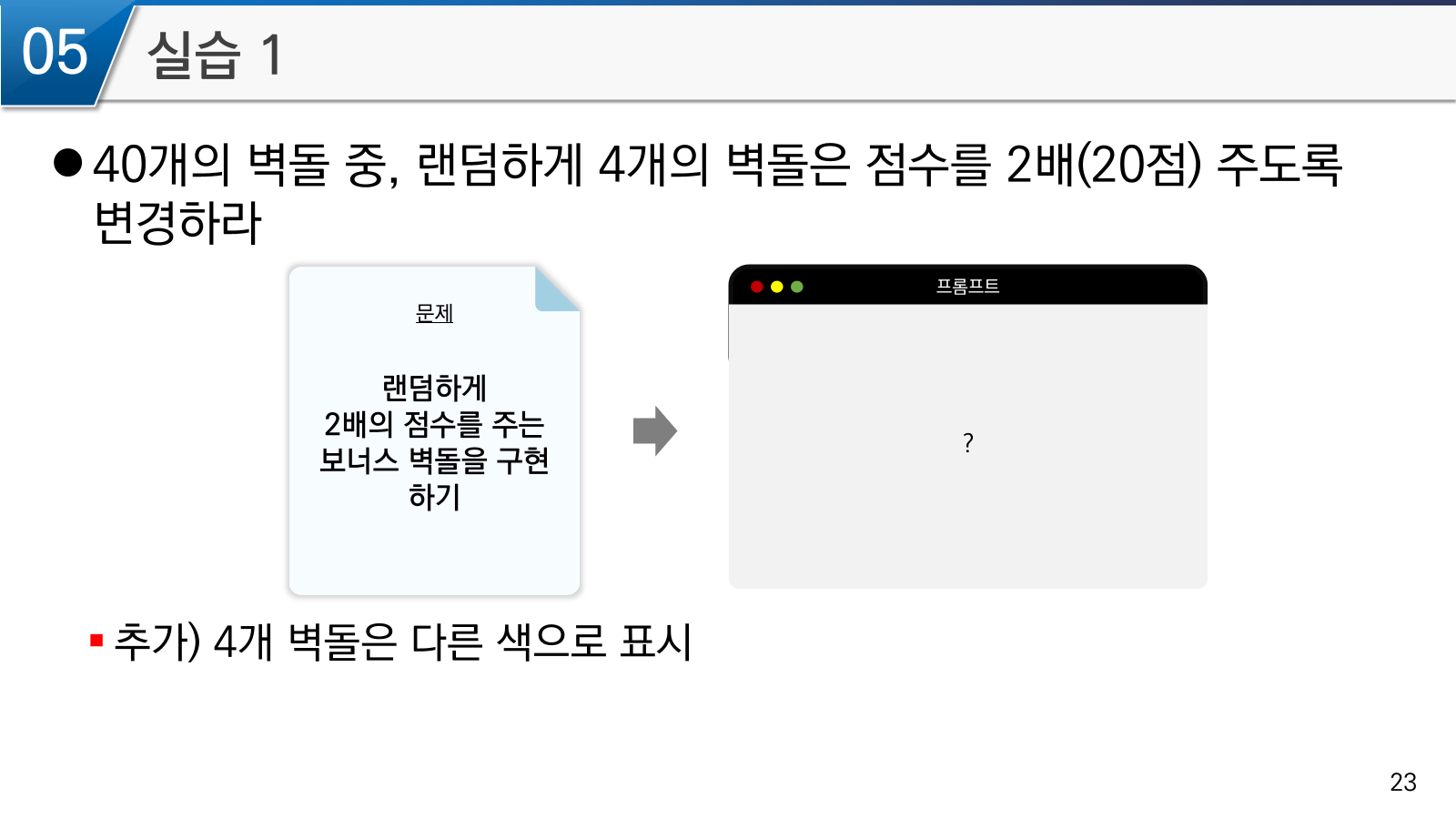
실습: 40개의 벽돌 중, 랜덤하게 4개의 벽돌은 점수를 2배(20점) 주도록 변경하라
프럼프트
현재 step05.py에 이어서, 전체 벽돌 중 일부를 랜덤하게 보너스 벽돌로 지정하고,
보너스 벽돌을 맞히면 2배 점수인 20점을 주는 코드를 구현해줘.
step06.py: 보너스 벽돌 구현하기
이번 실습에서는 랜덤하게 선택된 보너스 벽돌(bonus brick)을 추가한다. 보너스 벽돌은 일반 벽돌과 다르게 2배 점수를 준다.
일반 벽돌: 10점
보너스 벽돌: 20점
1. 추가할 핵심 기능
이번 단계에서 추가할 내용은 다음이다.
1. random 라이브러리 추가
2. 보너스 벽돌 개수 설정
3. 벽돌 생성 후 일부 벽돌을 랜덤하게 보너스 벽돌로 지정
4. 보너스 벽돌은 다른 색으로 출력
5. 보너스 벽돌을 맞히면 20점 추가
6. 일반 벽돌을 맞히면 기존처럼 10점 추가
2. 추가 코드 작성 순서
1단계. random 라이브러리 추가
맨 위에 추가한다.
import random #ADDED 보너스 벽돌을 랜덤으로 선택하기 위해 사용random은 여러 개의 벽돌 중에서 일부를 무작위로 고를 때 사용한다.
2단계. 보너스 벽돌 색상 추가
색상 변수 부분에 추가한다.
YELLOW = (255, 220, 0) #ADDED 보너스 벽돌 색상3단계. 보너스 벽돌 변수 추가
벽돌 정보 아래에 추가한다.
BONUS_BRICK_COUNT = 5  #ADDED 보너스 벽돌 개수
bonus_bricks = [] #ADDED 보너스 벽돌 목록- BONUS_BRICK_COUNT는 보너스 벽돌을 몇 개 만들 것인지 정하는 값이다.
- bonus_bricks는 보너스 벽돌만 따로 저장하는 리스트이다.
4단계. init() 함수에서 보너스 벽돌 선택하기
init() 함수의 global에 추가한다.
global bonus_bricks #ADDED#ADDED 전체 벽돌 중 일부를 랜덤하게 보너스 벽돌로 선택
bonus_bricks = random.sample(bricks, BONUS_BRICK_COUNT)5단계. 벽돌 출력 부분 수정하기
render() 함수에서 벽돌을 그리는 부분을 수정한다.
# 벽돌 그리기
for brick in bricks:
    if brick in bonus_bricks:
        pygame.draw.rect(screen, YELLOW, brick)  #ADDED 보너스 벽돌
    else:
pygame.draw.rect(screen, WHITE, brick)6단계. 벽돌 충돌 처리 수정하기
update_game() 함수의 벽돌 충돌 부분을 다음처럼 수정한다.
# 벽돌과 충돌
for brick in bricks[:]:
    if ball_rect.colliderect(brick):

        #ADDED 보너스 벽돌인지 확인
        if brick in bonus_bricks:
            score += 20
            bonus_bricks.remove(brick)
        else:
            score += 10

        bricks.remove(brick)
        ball_vel[1] *= -1
        block_count -= 1

        if block_count <= 0:
            game_state = "clear"
            end_message = "You Win"
            return

breakif brick in bonus_bricks:
score += 20
else:
score += 10일반 벽돌이면 10점을 더한다.
step06.py: 보너스 벽돌 추가 전체 코드
import pygame
import sys
import random  #ADDED 보너스 벽돌을 랜덤하게 선택하기 위해 사용


# 전역 변수
WIDTH, HEIGHT = 600, 800
screen = None
clock = None
running = True

# 게임 상태
game_state = "ready"  # ready, play, game_over, clear

# 종료 메시지
end_message = ""

# 색상
BLACK = (0, 0, 0)
WHITE = (255, 255, 255)
YELLOW = (255, 220, 0)  #ADDED 보너스 벽돌 색상

# 글꼴 정보
font = None

# 공 정보
BALL_RADIUS = 10
ball_pos = None
ball_vel = None

# 패들 정보
PADDLE_WIDTH = 100
PADDLE_HEIGHT = 15
PADDLE_SPEED = 7
paddle_rect = None
paddle_dx = 0

# 벽돌 정보
BRICK_ROWS = 5
BRICK_COLS = 8
BRICK_WIDTH = 60
BRICK_HEIGHT = 20
BRICK_GAP = 10
bricks = []

#ADDED 보너스 벽돌 정보
BONUS_BRICK_COUNT = 5
bonus_bricks = []

# 게임 정보
score = 0
life = 3
block_count = 0


# 1. 게임 초기화
def init():
    global screen, clock
    global font
    global ball_pos, ball_vel, paddle_rect, bricks
    global bonus_bricks  #ADDED
    global score, life, block_count
    global game_state, end_message

    pygame.init()
    screen = pygame.display.set_mode((WIDTH, HEIGHT))
    pygame.display.set_caption("벽돌깨기 - 보너스 벽돌")
    clock = pygame.time.Clock()

    font = pygame.font.SysFont(None, 30)

    game_state = "ready"
    end_message = ""

    score = 0
    life = 3
    block_count = BRICK_ROWS * BRICK_COLS

    ball_pos = [WIDTH // 2, HEIGHT // 2]
    ball_vel = [4, -4]

    paddle_x = WIDTH // 2 - PADDLE_WIDTH // 2
    paddle_y = HEIGHT - 50
    paddle_rect = pygame.Rect(
        paddle_x,
        paddle_y,
        PADDLE_WIDTH,
        PADDLE_HEIGHT
    )

    bricks = []

    total_brick_width = BRICK_COLS * BRICK_WIDTH + (BRICK_COLS - 1) * BRICK_GAP
    start_x = WIDTH // 2 - total_brick_width // 2
    start_y = 80

    for row in range(BRICK_ROWS):
        for col in range(BRICK_COLS):
            brick_x = start_x + col * (BRICK_WIDTH + BRICK_GAP)
            brick_y = start_y + row * (BRICK_HEIGHT + BRICK_GAP)

            brick = pygame.Rect(
                brick_x,
                brick_y,
                BRICK_WIDTH,
                BRICK_HEIGHT
            )

            bricks.append(brick)

    #ADDED 전체 벽돌 중 일부를 보너스 벽돌로 랜덤 선택
    bonus_bricks = random.sample(bricks, BONUS_BRICK_COUNT)


# 2. 입력 처리
def handle_input():
    global running
    global game_state
    global paddle_dx

    paddle_dx = 0

    for event in pygame.event.get():
        if event.type == pygame.QUIT:
            running = False

        if event.type == pygame.KEYDOWN:

            if game_state == "ready":
                if event.key == pygame.K_SPACE:
                    game_state = "play"

            elif game_state == "game_over" or game_state == "clear":
                running = False

    if game_state == "play":
        keys = pygame.key.get_pressed()

        if keys[pygame.K_LEFT]:
            paddle_dx = -PADDLE_SPEED

        if keys[pygame.K_RIGHT]:
            paddle_dx = PADDLE_SPEED


# 3. 게임 업데이트
def update_game():
    global ball_pos, ball_vel
    global score, life, block_count
    global game_state, end_message
    global bonus_bricks  #ADDED

    if game_state != "play":
        return

    paddle_rect.x += paddle_dx

    if paddle_rect.left < 0:
        paddle_rect.left = 0

    if paddle_rect.right > WIDTH:
        paddle_rect.right = WIDTH

    ball_pos[0] += ball_vel[0]
    ball_pos[1] += ball_vel[1]

    ball_rect = pygame.Rect(
        ball_pos[0] - BALL_RADIUS,
        ball_pos[1] - BALL_RADIUS,
        BALL_RADIUS * 2,
        BALL_RADIUS * 2
    )

    if ball_pos[0] - BALL_RADIUS <= 0:
        ball_vel[0] = abs(ball_vel[0])

    if ball_pos[0] + BALL_RADIUS >= WIDTH:
        ball_vel[0] = -abs(ball_vel[0])

    if ball_pos[1] - BALL_RADIUS <= 0:
        ball_vel[1] = abs(ball_vel[1])

    if ball_rect.colliderect(paddle_rect):
        if ball_vel[1] > 0:
            ball_vel[1] = -abs(ball_vel[1])
            ball_pos[1] = paddle_rect.top - BALL_RADIUS

    for brick in bricks[:]:
        if ball_rect.colliderect(brick):

            #ADDED 보너스 벽돌이면 20점, 일반 벽돌이면 10점
            if brick in bonus_bricks:
                score += 20
                bonus_bricks.remove(brick)
            else:
                score += 10

            bricks.remove(brick)
            ball_vel[1] *= -1
            block_count -= 1

            if block_count <= 0:
                game_state = "clear"
                end_message = "You Win"
                return

            break

    if ball_pos[1] - BALL_RADIUS > HEIGHT:
        life -= 1

        if life <= 0:
            game_state = "game_over"
            end_message = "Game Over"
            return

        ball_pos = [WIDTH // 2, HEIGHT // 2]
        ball_vel = [4, -4]
        game_state = "ready"


# 종료 화면 출력
def render_end_screen():
    screen.fill(BLACK)

    message_text = font.render(end_message, True, WHITE)
    message_rect = message_text.get_rect(
        center=(WIDTH // 2, HEIGHT // 2 - 30)
    )
    screen.blit(message_text, message_rect)

    guide_text = font.render("Press any key to exit", True, WHITE)
    guide_rect = guide_text.get_rect(
        center=(WIDTH // 2, HEIGHT // 2 + 20)
    )
    screen.blit(guide_text, guide_rect)


# 4. 출력 처리
def render():
    if game_state == "game_over" or game_state == "clear":
        render_end_screen()
        pygame.display.flip()
        return

    screen.fill(BLACK)

    text_score = font.render(f"Score: {score}", True, WHITE)
    text_life = font.render(f"Life: {life}", True, WHITE)
    text_blocks = font.render(f"Blocks: {block_count}", True, WHITE)

    score_rect = text_score.get_rect(topleft=(10, 10))
    life_rect = text_life.get_rect(midtop=(WIDTH // 2, 10))
    blocks_rect = text_blocks.get_rect(topright=(WIDTH - 10, 10))

    screen.blit(text_score, score_rect)
    screen.blit(text_life, life_rect)
    screen.blit(text_blocks, blocks_rect)

    #ADDED 보너스 벽돌은 노란색, 일반 벽돌은 흰색으로 출력
    for brick in bricks:
        if brick in bonus_bricks:
            pygame.draw.rect(screen, YELLOW, brick)
        else:
            pygame.draw.rect(screen, WHITE, brick)

    pygame.draw.circle(
        screen,
        WHITE,
        (int(ball_pos[0]), int(ball_pos[1])),
        BALL_RADIUS
    )

    pygame.draw.rect(screen, WHITE, paddle_rect)

    if game_state == "ready":
        start_text = font.render("Press SPACE to Start", True, WHITE)
        start_rect = start_text.get_rect(center=(WIDTH // 2, HEIGHT // 2 + 60))
        screen.blit(start_text, start_rect)

    pygame.display.flip()


# 5. 게임 실행
def run_game():
    init()

    while running:
        handle_input()
        update_game()
        render()
        clock.tick(60)

    pygame.quit()
    sys.exit()


run_game()
SUMMARY


1. 전체 구현 흐름
이번 벽돌깨기 게임은 단계별로 기능을 추가하는 방식으로 구현하였다.
step01.py : 초기 화면 구성
step02.py : 패들 이동
step03.py : 공 이동과 충돌 처리
step04.py : 점수, 생명, 남은 벽돌 수 출력
step05.py : 게임 종료 처리
step06.py : 보너스 벽돌 추가
2. 기본 게임 구조
게임은 다음 5개 함수 구조를 유지한다.
init()
handle_input()
update_game()
render()
run_game()
각 함수의 역할은 다음과 같다.
init()         : 게임 초기화
handle_input() : 키보드와 종료 입력 처리
update_game()  : 공, 패들, 충돌, 점수 변화 처리
render()       : 화면 출력
run_game()     : 게임 실행 루프 관리
3. 게임 상태
게임 상태는 game_state 변수로 관리한다.
game_state = "ready"ready : 시작 전 정지 상태
play : 게임 진행 상태
game_over : 생명이 0이 된 상태
clear : 모든 벽돌을 제거한 상태4. 공의 움직임과 충돌
공은 위치와 속도를 이용하여 움직인다.
ball_pos[0] += ball_vel[0]
ball_pos[1] += ball_vel[1]ball_vel[0] *= -1
ball_vel[1] *= -15. 점수, 생명, 벽돌 수
게임 정보는 화면 상단에 출력한다.
좌상단 : Score
중상단 : Life
우상단 : Blocks일반 벽돌 제거 : 10점 증가
보너스 벽돌 제거 : 20점 증가
공을 놓침 : 생명 1 감소
초기 생명 : 36. 종료 처리
게임 종료 조건은 두 가지이다.
life <= 0        → Game Over
block_count <= 0 → You WinGame Over 또는 You Win
Press any key to exit7. 보너스 벽돌
step06.py에서는 보너스 벽돌을 추가하였다.
import randombonus_bricks = random.sample(bricks, BONUS_BRICK_COUNT)YELLOW = (255, 220, 0)if brick in bonus_bricks:
score += 20
else:
score += 10
- Total
- Today
- Yesterday
- 챗봇
- 컴퓨팅사고력
- Idle
- 파이썬 기초
- python
- 데이터R지
- HIG
- figma
- UI
- 4차산업혁명
- 휴리스틱평가
- 데이타R지
- 챗GPT
- pygame
- 초보자를 위한 텍스트마이닝
- 프로토타입
- 관계자분석
- 파이썬기초
- 텍스트마이닝
- 자바스크립트
- 안드로이드
- UX
- matplotlib
- 라이브러리
- 피그마
- Text Mining
- 텍스트 마이닝
- 파이썬
- 스마트기술
- HCI
| 일 | 월 | 화 | 수 | 목 | 금 | 토 |
|---|---|---|---|---|---|---|
| 1 | ||||||
| 2 | 3 | 4 | 5 | 6 | 7 | 8 |
| 9 | 10 | 11 | 12 | 13 | 14 | 15 |
| 16 | 17 | 18 | 19 | 20 | 21 | 22 |
| 23 | 24 | 25 | 26 | 27 | 28 | 29 |
| 30 | 31 |